
Weak MDM setup doesn’t just create IT support tickets — it quietly creates the security gaps that show up later in an audit or a breach report.
It’s Monday morning and three new hires are starting today. IT hands out three new MacBooks, and by 11am someone is manually installing software, chasing down the right Wi-Fi profile, and resetting a password because the enrollment didn’t go the way it was supposed to. Nobody in the room would call this a security incident. But it is one, quietly, because the same manual process that made onboarding slow also means nobody can say for certain which policies actually landed on those three machines.
That’s the pattern we see most often with Apple fleets in the world: MDM (Mobile Device Management) gets treated as an IT support problem — how fast can we get a laptop ready — when it’s really a security problem wearing an IT support costume. Every manual workaround, every device that “somehow” isn’t fully enrolled, every exception nobody documented, is a gap that shows up later as a support ticket, a failed audit, or worse.
The Real Cost of a Weak Apple MDM Setup
When Apple Business, your MDM, and your security tools aren’t designed to work together, three things happen at once. First, onboarding takes longer than it should, because every new device needs manual attention instead of enrolling itself through Zero-Touch, automated device enrollment. Second, nobody has a reliable answer to “how many of our Apple devices are actually compliant right now,” because the data lives across three different consoles. Third — and this is the one that gets expensive — security policies end up designed around Windows and applied to Apple “as best we can,” instead of being built around how Apple devices are actually secured.
None of this is really about Apple technology being difficult. It’s about the architecture around it being an afterthought.
What This Usually Looks Like
If any of this sounds familiar, you’re not alone:
- You’re not fully sure how many Apple devices are enrolled in MDM versus how many are quietly outside of it.
- Every new hire still needs 30–60 minutes of manual setup before their Mac or iPhone is actually ready.
- Security policies were copied from an old configuration years ago, and nobody remembers why some of the settings exist.
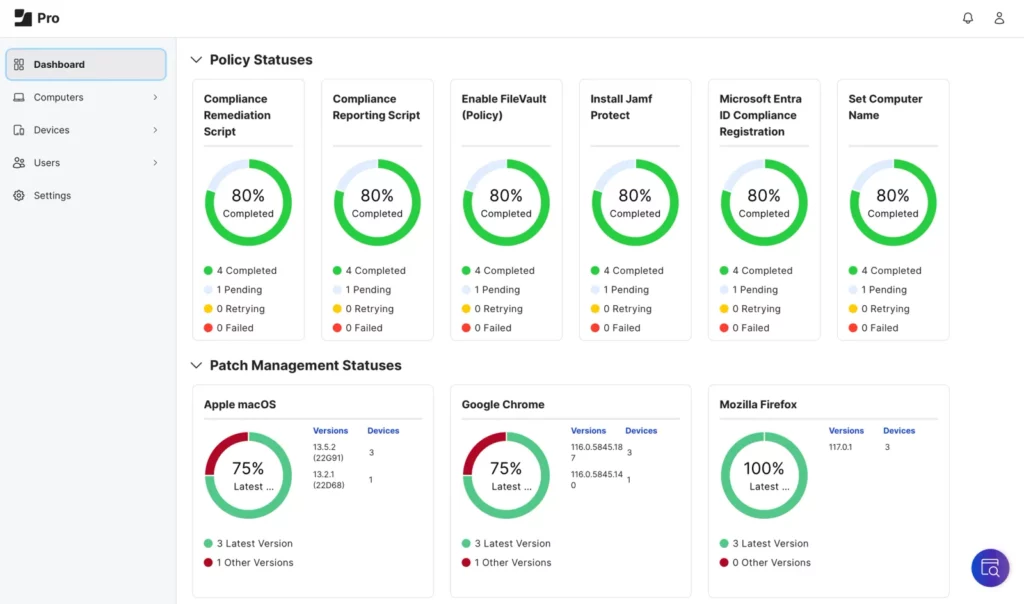
- When security asks for a compliance report, it takes days to compile because the information is scattered across MDM, Apple Business, and spreadsheets.
- Password resets and access issues make up a disproportionate share of your support tickets.
- You’ve had at least one audit where “Apple devices” was the section with the most question marks.
How We Approach This at Setek
We don’t start by recommending a new MDM. Most of the time, the tool you already have can do more than it’s currently doing. What’s usually missing is the design around it. Our approach:
- Audit what’s actually enrolled versus what you think is enrolled — this alone tends to surface 10–20% of devices operating outside policy.
- Define a single source of truth using Apple Business Manager, so enrollment isn’t something a technician configures by hand each time.
- Automate Zero-Touch deployment for standard roles, so a new Mac or iPhone arrives ready to work without anyone touching a checklist.
- Align security policy to Apple specifically, instead of adapting Windows-first policies, so compliance reporting actually reflects reality.
- Document the exceptions — because there are always a few — so they’re a known, managed risk instead of an invisible one.
A Quick Example
At a financial services client in the UAE, new hires were taking almost an hour to get a fully configured Mac, and a compliance audit had flagged that nobody could confirm exactly which devices were under active MDM management. We mapped the existing environment, rebuilt enrollment through Apple Business Manager, and moved onboarding to Zero-Touch. The result wasn’t a flashier setup — it was a shorter onboarding time, a support queue with noticeably fewer access-related tickets, and a compliance report that could be generated in minutes instead of days.
What You Can Do This Week
You don’t need to overhaul your entire Apple environment to start closing this gap. A good first step is smaller: pick 10 devices at random and check how consistent their configuration actually is against your intended policy. The variation you find will tell you a lot about where the real risk sits.
If you’d like a second pair of eyes on your Apple environment, take a look at how we approach Apple device management at Setek — we’re happy to help you spot where time and risk are quietly leaking, no commitment required.